

The GenPage Chrome Extension lets you generate AI-personalized sales pages instantly from any LinkedIn profile. No switching tabs, no manual data entry.
In just a couple of clicks, you can:
• Turn any LinkedIn profile into a personalized sales page
• Copy your unique GenPage link on the spot and send it immediately
• Auto-create a lead record in GenPage with all the relevant details
Step 1: Install the extension
Download the GenPage Chrome Extension from the Chrome Web Store
Once installed, pin it to your browser toolbar for easy access
Click the GenPage icon in your toolbar
Log in using the same credentials as your GenPage account
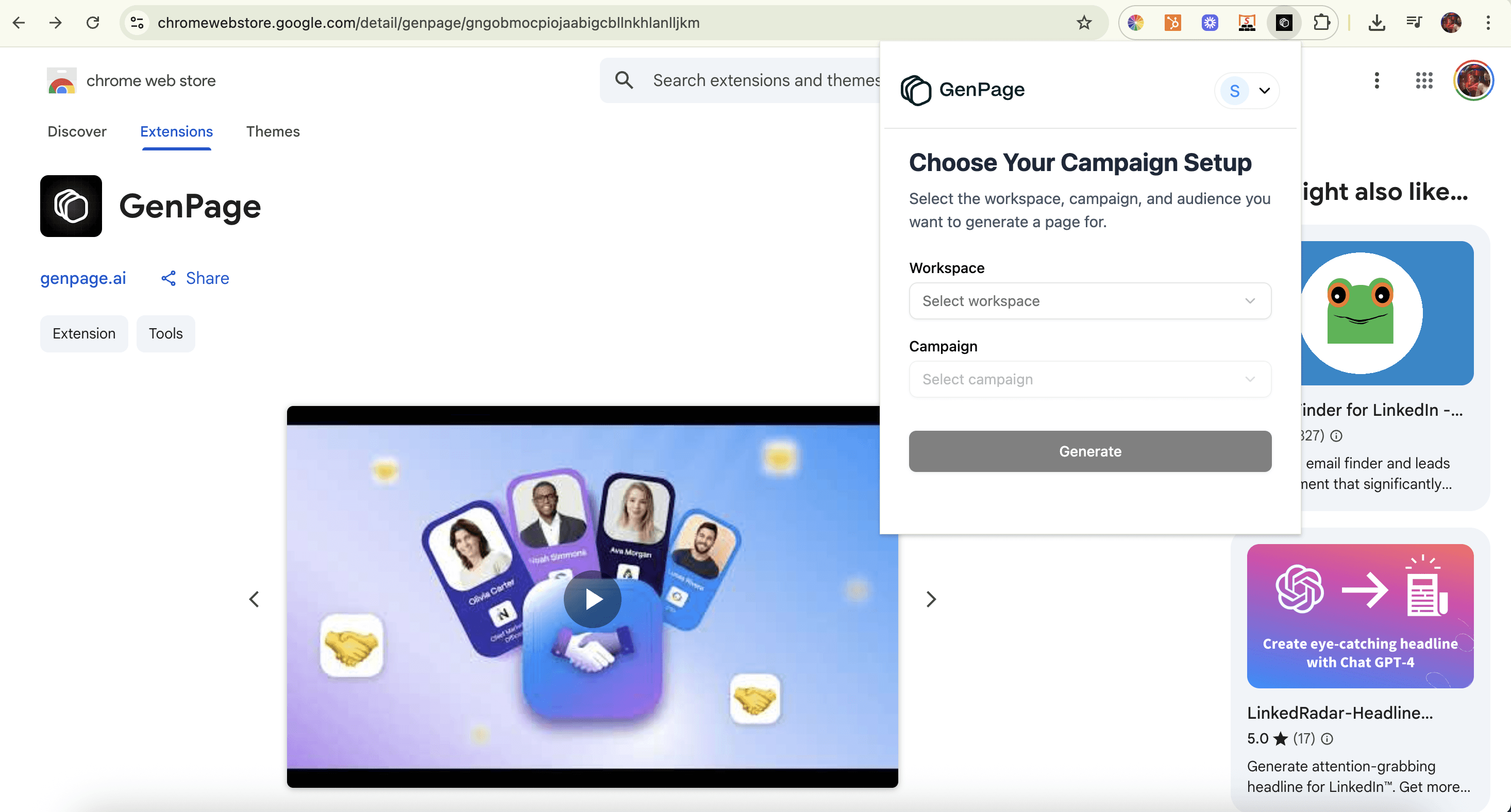
Adding the GenPage Chrome Extension to your browser
Step 2: Generate a personalized page from a LinkedIn Profile
Go to LinkedIn and navigate to the profile of your prospect or lead
Click the GenPage extension icon while on the lead’s profile
Select your workspace
Pick the campaign you want to assign this lead to
Click Generate
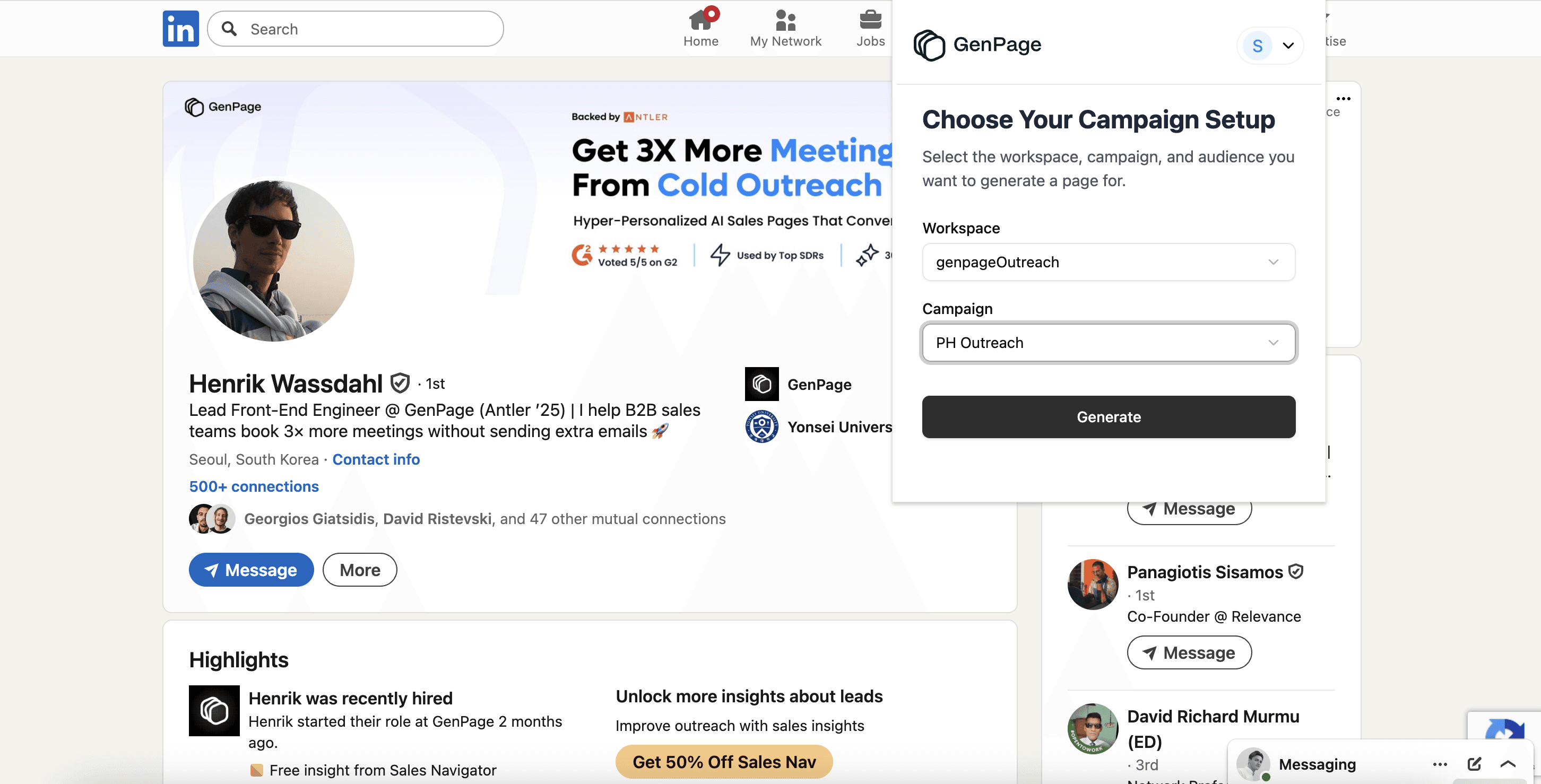
Selecting the appropriate workspace and campaign you'd like to assign your LinkedIn lead to
Step 3: Copy & Send your link
A personalized GenPage link will appear instantly
Copy/paste it directly into your LinkedIn message, email, or CRM
At the same time, a new lead record will be created in your GenPage account with all mapped info
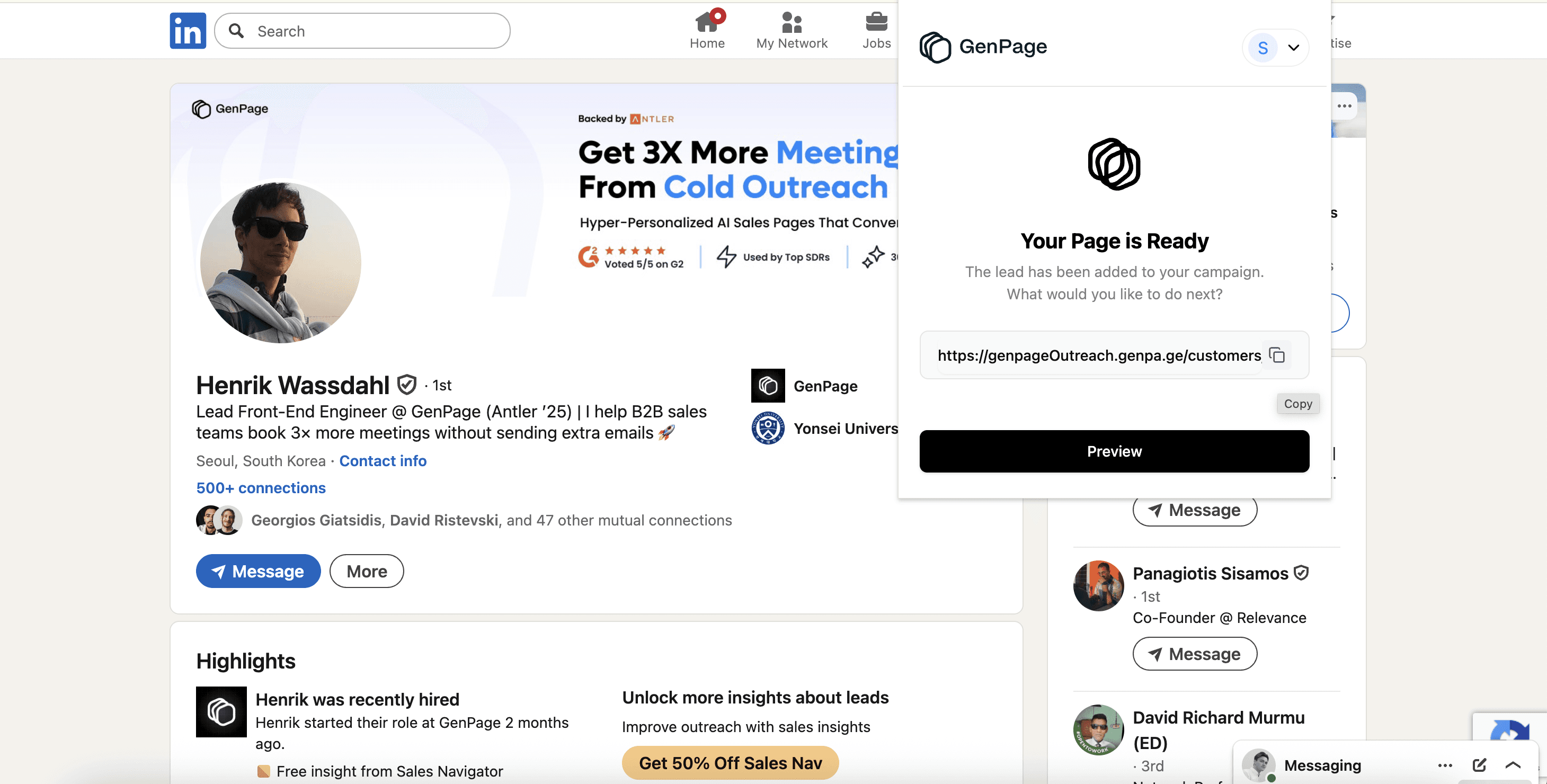
Copying your link for use on-the-go, or clicking the preview button to access your page
You’re All Set!
From now on, every LinkedIn profile is one click away from becoming a tailored, trackable sales page you can share on the fly!
Questions or feedback? Reach out to our support team anytime, or book a demo with us. We’re always happy to help.